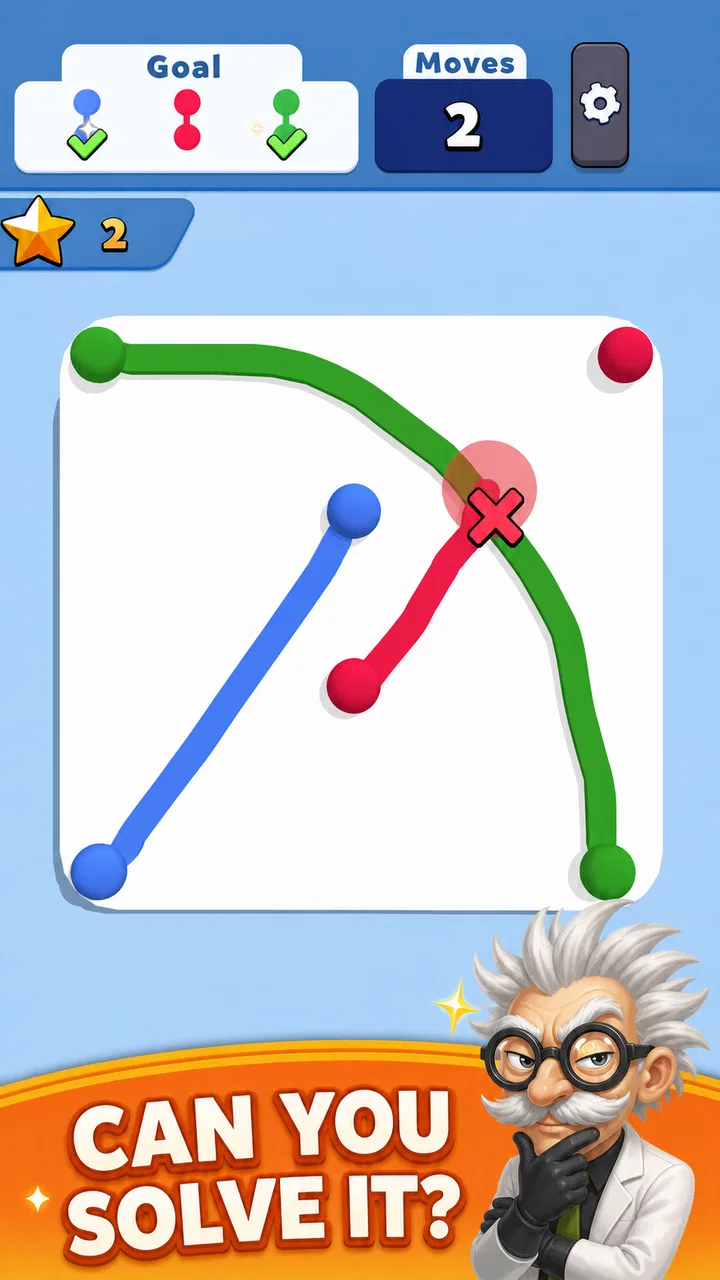
Collect Em All! Clear the Dots
- 4.6
- Rating
- 50.00M
- Installs
- Free
- Price

 Analysis by App-foxy
I picked up Collect Em All! Clear the Dots expecting a quick color-matching time killer, and that is exactly where it fits best. It is a casual game from VOODOO built around connecting balls of the same color so they disappear. The rule is easy to understand, but the short rounds still give me a reason to pause before making a move. I can play for a minute while waiting somewhere, then put it down without feeling as if I have abandoned a long session.
The game is free to download and suitable for Everyone, which makes it approachable for children, adults, and anyone who wants something lighter than a competitive action game. Its store presence is substantial, with over 50 million installs, an average rating of 4.6 from around 196 thousand ratings, and roughly 11 thousand written reviews. Those figures suggest that the simple format has found a large audience, although popularity alone does not make every part of the experience friction-free.
Getting past the first points of friction
The first place players can get stuck is not the basic rule; it is the difference between understanding the rule and making consistently useful connections. I initially wanted to clear the most obvious group immediately, but that is not always the best choice. A longer same-color path can be more valuable than a quick small match, and a move that looks tidy can leave the next arrangement less convenient.
You May Also Like

 Blood Strike: 2.5 Anniversary
Blood Strike’s Loadouts Turn Every Drop Into a Tactical Gamble
A close look at Blood Strike’s custom loadouts: how fast access to signature weapons reshapes its battle royale rhythm, rewards preparation, and narrows the gap between fights.

 Pandora - Music & Podcasts
Pandora’s Music Is Easy to Start, but Harder to Recover
Pandora’s strength is its low-effort path from a seed to a station. Its weak spot is how much confidence it asks you to place in connection, setup, and quiet recovery.

 8 Ball Pool
 Is Built on Rivalries, Rematches, and Routine
A close look at the rivalries, rematches, shared routines, and unanswered safety questions that turn a quick pool match into a persistent mobile community.

 Samsung Music
’s Quiet Strength Is Playing What You Already Own
Its reach comes less from spectacle than from dependable access to a personal library. That simplicity is both the app’s strongest retention engine and its ceiling.

 AccuWeather: Weather Radar
AccuWeather Review: A Quick, Clear Forecast for Everyday Decisions
For everyday plans, the best forecast is the one you can understand quickly. AccuWeather makes rain timing, radar, and local conditions easy to act on, with a few trade-offs.

 Hill Climb Racing
Why Hill Climb Racing Still Turns Crashes Into One More Run
A tiny car, a bumpy hill and one more upgrade: Hill Climb Racing keeps resurfacing because its simple chaos makes every near-miss feel personal.
More From Our News Desk
View All News


That makes the game more thoughtful than its short description suggests. I recommend taking a brief look across the whole board before touching anything. Instead of following the first color that catches your eye, I scan for three things: the longest available connection, colors that are becoming boxed in, and the area where clearing one group may open a better route. This small pause is one of the most useful habits I found.
Another common sticking point is expecting every round to feel like a pure reaction test. It does not work that way for me. The best results come from combining quick recognition with restraint. If I rush, I often spend a promising color before seeing a stronger line nearby. If I wait too long for a perfect arrangement, I lose the relaxed rhythm that makes a casual game appealing. The practical balance is to identify a good move, not an imaginary flawless one.
The touch interaction is central to the experience, so setup matters more than it might in a turn-based puzzle. A dirty or damp screen, a thick screen protector, or a finger placed slightly away from the intended path can make a connection feel less reliable. Before deciding that the game has failed to register a move, I check whether the gesture itself was clean and continuous. On a small phone display, rotating the device or changing how I hold it can also make crowded areas easier to read.
For a child, the simple color rule is easy to explain, but the game still rewards looking ahead. I would let a younger player experiment first rather than immediately telling them the “correct” move. The game works well as a gentle exercise in visual grouping and planning, but it is not something I would present as an educational tool with formal instruction. Its strength is that the thinking is hidden inside a playful, low-pressure format.
Checks worth making before blaming the game
On Android, the current version is 2.47.0 and requires Android 8.0 or later. That requirement is useful to check before downloading, especially if the game is being installed on an older spare phone. A device that cannot meet the minimum operating-system requirement is a compatibility issue rather than a problem with a particular level or touch gesture.
On a supported phone, I would start with ordinary checks: make sure the game finished installing, close other demanding apps, and restart the device if touch input feels generally delayed. I would also test the screen in another app. If swipes fail elsewhere too, the problem is probably related to the phone, screen, or protective accessory rather than this particular puzzle.
Storage can create confusion during installation or updating. If the phone is nearly full, clearing a little space and trying again is more sensible than repeatedly tapping the install button. I avoid deleting game data as a first step because that can remove local progress in apps that store it on the device. A restart and a fresh launch are safer first actions.
Network conditions are another source of misleading symptoms. Even when the core activity feels like something that should work independently, an app may still need a connection for parts of its normal operation. If a screen remains loading, I try a stable Wi-Fi connection and then mobile data, one at a time, rather than changing several settings together. That makes it easier to identify whether the issue is the connection, the device, or the app.
There is also a practical purchase check. The game is free, but in-app purchases range from $0.79 to $379.99 per item. I would review the device’s purchase controls before handing the phone to a child, particularly because a free download can still expose optional spending. This is not a reason to avoid the game, but it is a reason to treat it like any other free-to-play title and set boundaries in advance.
Recovering a session without making the problem worse
When a round stops responding, my first recovery step is deliberately simple: I stop tapping repeatedly, leave the screen alone for a moment, and then close and reopen the game. Repeated touches can make it harder to tell whether the board is frozen or merely processing a delayed gesture. If the whole phone feels slow, I restart the phone before reinstalling anything.
I also pay attention to whether the difficulty is actually a technical failure. A connection that does not complete may be a poorly chosen route rather than a broken input. I try a shorter, clearly visible path in another part of the board. If that works, the original problem was likely precision or interpretation. If no gesture works and other apps respond normally, restarting the game becomes the next reasonable step.
Reinstallation should be a last resort, not a routine fix. Before using it, I consider whether progress might be stored locally and whether I am comfortable losing it. The same caution applies to clearing app data. These actions can solve a damaged installation, but they can also erase the very progress a player is trying to protect. A careful sequence—check the device, restart the app, restart the phone, then consider stronger measures—avoids unnecessary loss.
Updates deserve similar patience. If a new version does not install immediately, I check available storage, confirm the operating system is supported, and try again on a reliable connection. I do not interpret a delayed update as proof that the game itself is malfunctioning. App stores, device settings, and network conditions can all interrupt an otherwise normal update process.
For everyday use, I find it helpful to treat the game as a self-contained break rather than a task that must be completed. If I am playing while waiting for a bus or during a coffee break, I stop at a natural point instead of forcing one more attempt when I am distracted. That reduces careless swipes and makes the short-session design work in its favor. It is also a better approach for children, who may become frustrated if every pause is treated as a failure.
When the cause is outside the app
Not every unpleasant experience points to the game. Older hardware, a crowded storage drive, a damaged touch layer, aggressive battery management, or unstable connectivity can all affect how a mobile game feels. The quickest way I separate these causes is comparison: I test scrolling and swiping in a browser or another app, then compare the behavior. A general delay is a phone problem until proven otherwise.
Display size changes the experience too. On a larger screen, crowded groups are easier to distinguish and paths are more comfortable to trace. On a compact phone, I need more deliberate finger placement. That does not mean the game is unsuitable for small devices, but it does mean that players who regularly miss narrow connections may benefit from changing their grip, cleaning the screen, or using a device with more room.
Battery-saving modes can also make a phone feel less responsive, particularly when several apps are open. I would not disable system protections casually, but I would close unused apps and make sure the phone is not overheating. If the device is hot, taking a break is sensible for both comfort and performance. A casual puzzle is not worth pushing a struggling phone harder.
Age and purchase settings belong to the surrounding device environment as much as to the game. Since the content rating is Everyone, the basic presentation is accessible, but that rating does not replace parental supervision of spending or screen time. I would configure those controls at the operating-system or account level before allowing unsupervised use. That is a more reliable safeguard than expecting the player to make every decision correctly in the moment.
The game is also not the right answer for every kind of puzzle fan. If you want a deep campaign, a story, complex tools, or a large strategic system that develops over many hours, this minimalist format may feel thin. It is closer to a repeatable visual challenge than a traditional adventure or long-form strategy game. Players who prefer word puzzles, number logic, or turn-based planning may find a dedicated alternative more satisfying.
How it compares with familiar casual choices
Compared with endless runners, this game asks for more visual planning and less continuous reaction. I can stop between moves without worrying about a character crashing while I look away. Compared with match-three games, the appeal is in tracing connected color groups rather than waiting for a familiar grid pattern and chain reaction. That makes it a good alternative when I want something active enough to hold my attention but not demanding enough to require sound, headphones, or a long uninterrupted session.
It is less suitable than a traditional puzzle app when I want clearly explained rules, carefully staged lessons, or a strong sense of measurable progression. The stripped-down format is part of its charm, but it also means the game relies heavily on the satisfaction of making the next good connection. If that loop does not feel rewarding after several short sessions, extra play will not necessarily solve the problem.
The most useful trade-off is convenience versus depth. The free entry and Everyone rating make it easy to try, while the compact color-linking idea is immediately understandable. In return, players should expect a focused experience rather than a broad one. The optional purchase range also means I would decide beforehand whether I am happy to play within the free experience or whether I need purchase restrictions in place.
One non-obvious strength is how well the game handles divided attention when the player chooses the right moment. I can use it during a short wait because the central action does not require a complicated control scheme. The weakness is that divided attention can also cause missed paths: a quick glance away is enough to lose the arrangement I was studying. For me, it works best when I have a few quiet minutes, not when I am walking, commuting through a crowded area, or trying to follow a conversation.
Another useful distinction is between improving skill and simply playing more. I get better results by scanning the board in a fixed order—long connections first, trapped colors next, then openings created by a clear—rather than by moving faster. That method gives the game a little more strategic texture without turning it into a serious study exercise. It also helps explain why a player may feel stuck even when the controls are working perfectly.
My practical verdict after using it
VOODOO has kept the premise narrow, and I think that is mostly the right decision. The game is easy to start, comfortable for brief sessions, and more engaging than a completely passive time filler because every move asks for a small visual judgment. Its rating of 4.6 and large install base fit my impression that the core loop is broadly appealing, though neither popularity nor a good score removes the need to check device compatibility and purchase settings.
I would recommend it to someone who wants a free casual game for short breaks, especially if they enjoy color grouping and simple planning. I would also recommend it to families who want an accessible game to try together, provided an adult handles spending controls and explains that looking ahead matters more than swiping quickly. The minimum requirement of Android 8.0 makes the setup question straightforward for supported Android phones.
I would skip it if you are specifically searching for a substantial narrative, a complex progression system, or a puzzle experience with extensive variety. I would also skip it as a troubleshooting target when the phone has broader touch or performance problems; fixing the device will matter more than reinstalling this game. If the connection gesture feels unreliable, test the screen and try a simple route before deciding the app is at fault.
My final advice is to install it with realistic expectations: this is a focused casual diversion, not a deep strategy package. Take a second to survey the board, use clean deliberate gestures, protect progress before clearing data, and check purchase restrictions before sharing the device. With those small precautions, Collect Em All! Clear the Dots is an easy game to keep around for spare minutes, and its best quality is that it gives those minutes a little structure without demanding the rest of your day.
FAQs for Collect Em All! Clear the Dots
01What is Collect Em All! Clear the Dots?
Collect Em All! Clear the Dots is a colorful puzzle game based on connecting matching dots. Your objective is to link groups of dots of the same color, clear them from the board, and complete level-specific goals. The controls are simple and suitable for quick sessions, while later stages introduce more challenging layouts, limited moves, obstacles, and strategic decisions.
02How do you play Collect Em All! Clear the Dots?
To play, swipe across adjacent dots of the same color to create a chain and remove them from the board. Longer connections generally produce better results and may help trigger special effects or clear larger areas. Each level has its own target, such as removing a certain number of dots or overcoming obstacles, so planning your moves is often more important than simply making the longest chain.
03Is Collect Em All! Clear the Dots free to download and play?
The game can generally be downloaded and played without an upfront purchase, making it easy to try on a compatible Android or iOS device. However, free gameplay may include advertisements and optional in-app purchases. These purchases can provide extra boosters, additional moves, or other conveniences, but they are not necessarily required to progress if you are willing to replay levels and use your resources carefully.
04Does Collect Em All! Clear the Dots require an internet connection?
Many of the core puzzle levels can usually be played offline, which makes the game convenient for travel or situations without reliable mobile data. Nevertheless, an internet connection may be needed for advertisements, cloud-related features, events, updates, or restoring purchases. Availability can vary by version and device, so it is best to open the game online at least occasionally to receive new content and synchronize progress.
05Is Collect Em All! Clear the Dots suitable for children?
Collect Em All! Clear the Dots uses straightforward matching mechanics, bright visuals, and short levels, so it can be approachable for children and casual players. Parents should still review the store rating and the game’s privacy and advertising settings before installation. Because optional purchases and advertisements may appear, enabling parental controls is advisable if children will play without supervision.
Pros
- Simple tap-and-drag controls are easy for players of all ages.
- Short levels make it convenient for quick gaming sessions.
- Colorful visuals and satisfying effects make clearing dots enjoyable.
- Gradually increasing challenges keep the gameplay engaging.
- Works well as a relaxing
- low-pressure puzzle experience.
Cons
- The core gameplay can feel repetitive after extended play.
- Later levels may rely more on luck than careful planning.
- Frequent advertisements may interrupt the overall experience.
- Limited strategic depth may disappoint experienced puzzle players.
- Progression can feel slow without optional purchases or rewards.

Collect Em All! Clear the Dots
Gallery